Sketch to render in seconds.
Archivision is the AI sketch generator built for architects. Upload any sketch, get a photorealistic render in 20 seconds. 24 styles. From $19/mo.
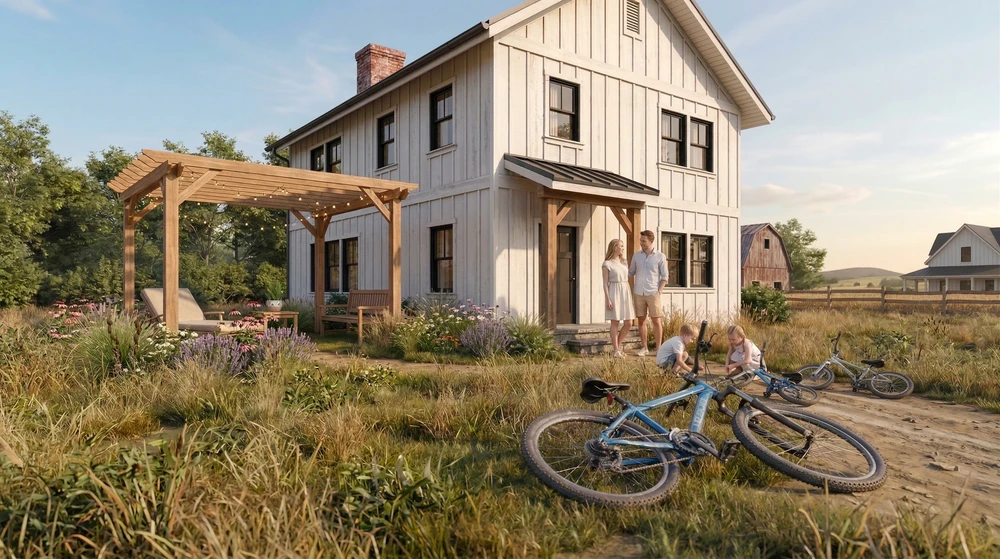
What is Archivision AI?
Archivision AI is an AI sketch generator built for architects. Upload a hand-drawn sketch, floor plan, or wireframe and Archivision returns a photorealistic architectural render in 20 seconds. Plans start at $19/mo.
Unlike generic AI sketch generators like Adobe Express, Canva, or OpenArt, Archivision is trained on architecture: 24 curated styles, Curb View, Room View, and Make It Real hyperrealism. No prompting. No blank text box. Pick a style, upload your sketch, done.
How it works
Any input. Any style.
- 20 seconds — Average render time
- 24 styles — Architectural styles
- Up to 4K — Export resolution
Why architects use Archivision instead of a generic AI sketch generator
Generic AI sketch generators like Adobe Express, Canva, OpenArt, and Midjourney are built for everything and nothing. They turn pet photos into sketches, doodles into anime, and yes, a building sketch into something that looks like a building. Sometimes.
Archivision AI is different. It is trained on architecture. Every style in the library is a real architectural style. Every output is a perspective a client would recognize. Every workflow is built for the way architects work: pick a style, upload your sketch, iterate in the same meeting.
That is the trade-off. A generic AI sketch generator gives you range you do not need. Archivision gives you the one thing you do: photorealistic architectural renders in 20 seconds, presentation-ready, at $19/mo.
What makes Archivision an architecture-specific AI sketch generator?
- Trained on architecture, not everything. 24 curated styles including Modern, Mediterranean, Brutalist, Japanese Zen, and Scandinavian. Every one a real architectural style an architect can defend to a client.
- Perspective Generation built in. Upload a floor plan and Archivision returns a curb view, a room view, and an elevation. A generic AI sketch generator cannot do this because it does not understand architectural perspective.
- Make It Real hyperrealism. One click takes a stylized render to photorealistic output at 2K or 4K. Ready to present. Ready to invoice.
- Same-meeting workflow. Upload during the client call. Explore five directions before anyone checks their phone. Walk out aligned, not guessing.
Frequently asked questions
Is Archivision an AI sketch generator?
Yes. Archivision AI is an AI sketch generator built specifically for architects. Upload any hand-drawn or digital sketch and Archivision returns a photorealistic architectural render in 20 seconds. Unlike generic AI sketch generators, Archivision is trained on architectural styles, perspectives, and materials, so the output is a render you can show a client, not a stylized image you have to re-work.
What kind of sketches can I upload?
Anything: pencil sketches, ink drawings, digital sketches, napkin doodles, floor plans, or photos. Our AI interprets any architectural sketch image.
Do I need a clean or detailed sketch?
No. Rough concept sketches work. The AI fills in architectural detail, materials, and lighting automatically.
What are the 24 architectural styles?
Modern, Traditional, Mediterranean, Industrial, Minimalist, Farmhouse, Contemporary, and more. Each style is curated for architectural accuracy, not AI guesswork.
What is Perspective Generation?
Perspective Generation creates multiple viewpoints from a single sketch: curb views, aerials, interiors, and close-ups. No additional input required.
How is Archivision different from a generic AI sketch generator?
Generic AI sketch generators like Adobe Express, Canva, OpenArt, and Midjourney are trained on everything: fashion, portraits, memes, landscapes. They can turn an architectural sketch into an image, but the output is inconsistent and the workflow is a blank text box. Archivision AI is purpose-built for architecture. It ships with 24 curated architectural styles, Perspective Generation, Curb View, Room View, and Make It Real hyperrealism. Output resolution is 2K or 4K, ready for client presentations. The workflow is pick-a-style, not prompt-engineering. Plans start at $19/mo.
What does it cost?
Starter at $19/mo, Pro at $39/mo, Studio at $79/mo. 14-day money-back guarantee.